// Technology log
The First Walkman: Restoring My 1979 Sony TPS-L2

STATUS: RESTORED
CATEGORY: PLAYBACK
YEAR: 2026
THE MISSION: BACK TO SPEED
The First Walkman:
Restoring My 1979 Sony TPS-L2
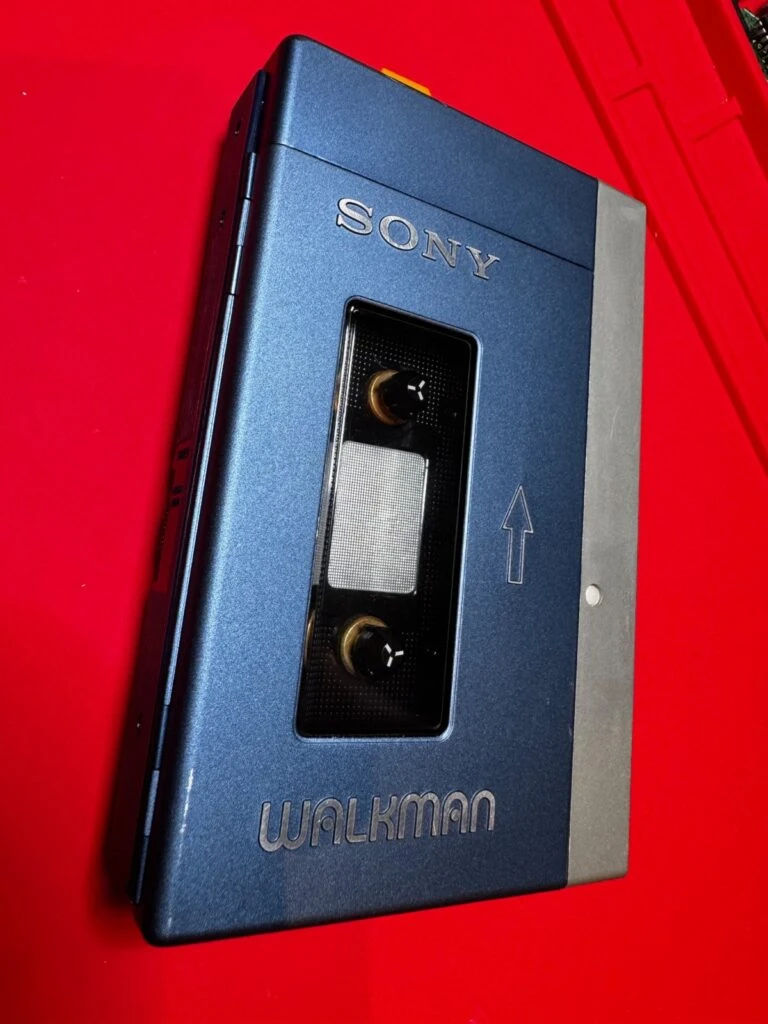
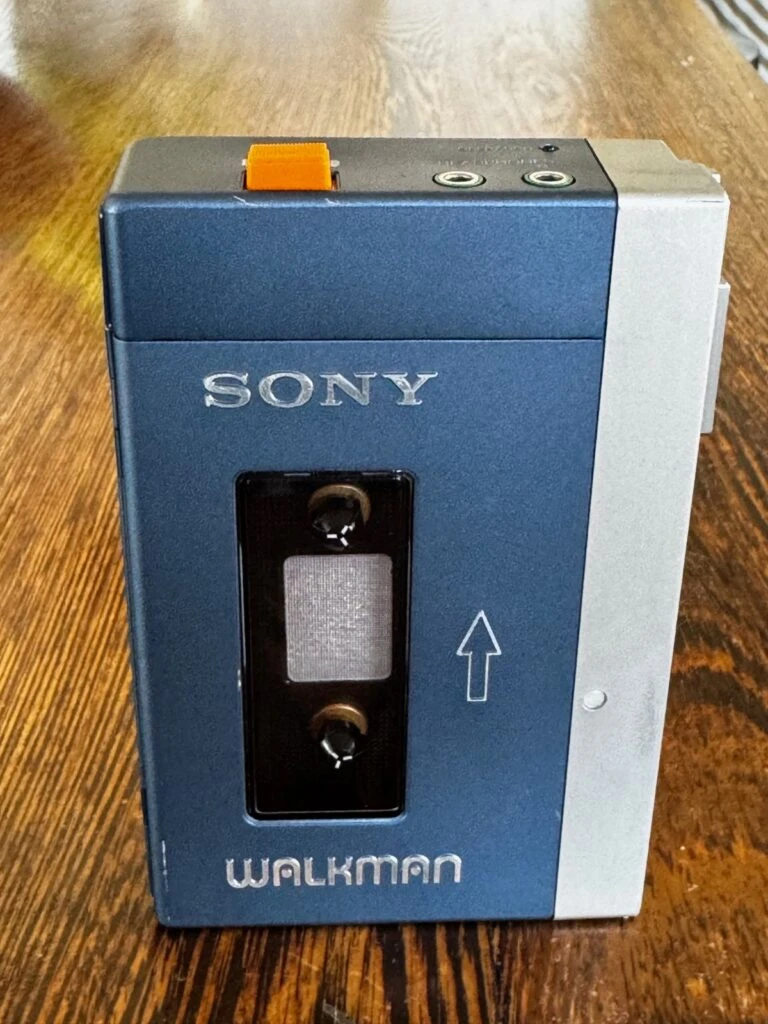
The TPS-L2 was announced on June 21, 1979 and went on sale in Japan on July 1, 1979, according to the Walkman Archive. It was the first Walkman: a stereo cassette player with no recording and no speaker.
Mine arrived muffled, slow and unsteady in pitch. A 47-year-old Walkman needs fresh belts, a clean tape path and a speed check before it plays properly, and this is how I did all three. It now sounds the way I remember it from my youth: warm, with round bass and precise highs that aren't harsh, an overall rounded sound.
1.1 //AS FOUND, AND WHAT YOU NEED

When it arrived it sounded muffled, slow and clearly unstable in pitch. The wobble was easy to hear, which means high wow and flutter, though I didn't measure it before the repair.

The three symptoms usually have different causes, so it helps to fix them in order:

• Muffled: usually dirt on the head, capstan or pinch roller.
• Slow: usually tired belts, or a speed setting that has drifted.
• Wobbling pitch: usually belts that have stretched or hardened, or a dry motor bearing.

This is a light guide to what I did, with notes on keeping a vintage Walkman healthy afterwards. It is not a full service manual.

The whole job takes a few cheap parts and a steady hand.

• Replacement belts: the Sony TPS-L2 belt kit from Thakker (eBay). Replace both belts together.
• Oil: Super Lube Multi-Use Synthetic Oil. One small drop, no grease.
• Cleaning: 99% isopropyl alcohol and swabs, for the head, capstan and pinch roller.
• Hand tools: a small screwdriver and tweezers. Tweezers make fitting belts much easier.
• Speed trimmer tool: a brass adjustment tool. It's non-magnetic, so it won't disturb the readings.
• Test tape: a speed and azimuth calibration cassette with a 3 kHz tone. You need it to set speed properly.
• Analyzer: the NAK T-100 Audio Analyzer software. Optional; it shows speed and wow and flutter.
• Power: two AA batteries. The TPS-L2 runs on two AA cells.
1.2 //STEP 1: CLEAN THE TAPE PATH

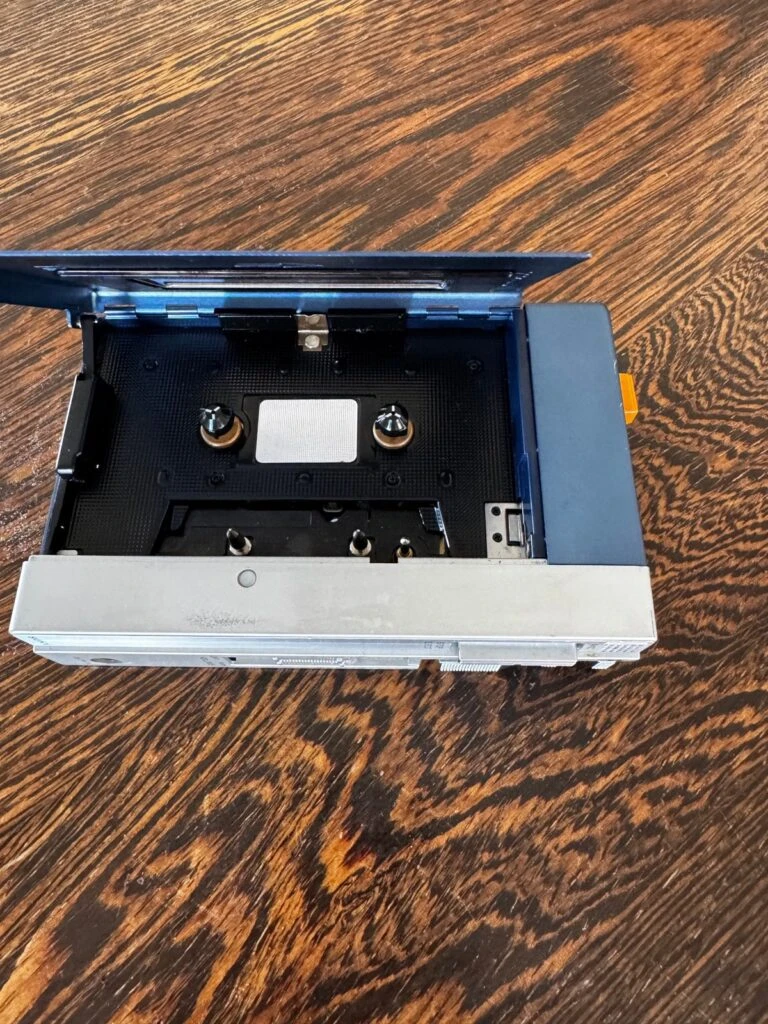
Wipe the head, capstan and pinch roller with a swab and isopropyl alcohol. Brown residue on the swab is tape oxide.

Check the pinch roller too: if the rubber is hard or shiny, it won't grip the tape.
1.3 //STEP 2: OPEN IT UP

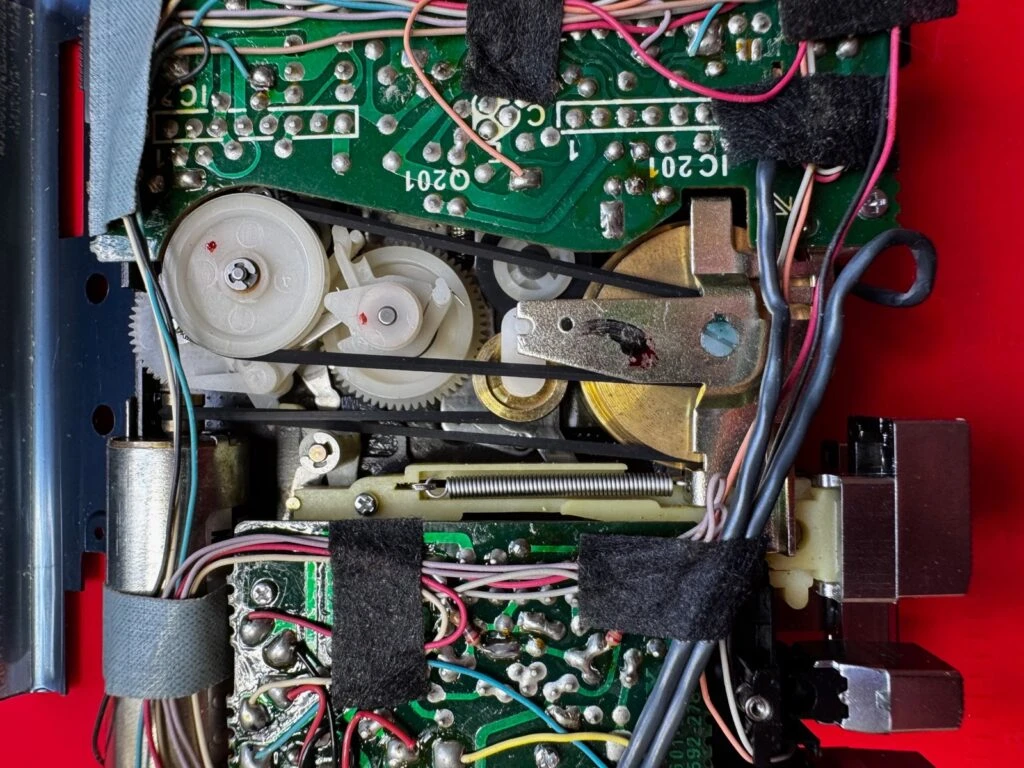
Remove the screws and the side panel, then move the cables and lift the board aside to reach the mechanism.

Photograph everything before you move it, and lay the screws out in the order they came out. Keep the black washers, and note that the front panel and the area by the play button use longer screws.

Several of these tips come from a long TPS-L2 and WM-3 restoration thread on stereo2go.
1.4 //STEP 3: NEW BELTS

I tried the old belt first, but it had no tension, so I replaced both. Fit the new ones with tweezers.

Afterwards, the supply reel should turn with a single finger.
1.5 //STEP 4: ONE DROP OF OIL

Put one small drop of light oil on the motor bearing, starting with the front one, and wipe off any excess.

Use oil rather than grease, and keep it off the belts, capstan and pinch roller, where it causes slipping.
1.6 //STEP 5: SETTING THE SPEED

Play a 3 kHz test tape and trim the speed adjustment in small turns with a non-magnetic tool.

Speed drifts for the first half minute after starting, so let it warm up and check again. Aim for 0%, and expect the reading to wander a little around it.

At the start of the adjustment the analyzer read 2931.7 Hz, with a wow and flutter reading of 0.564%.
1.7 //THE NUMBERS

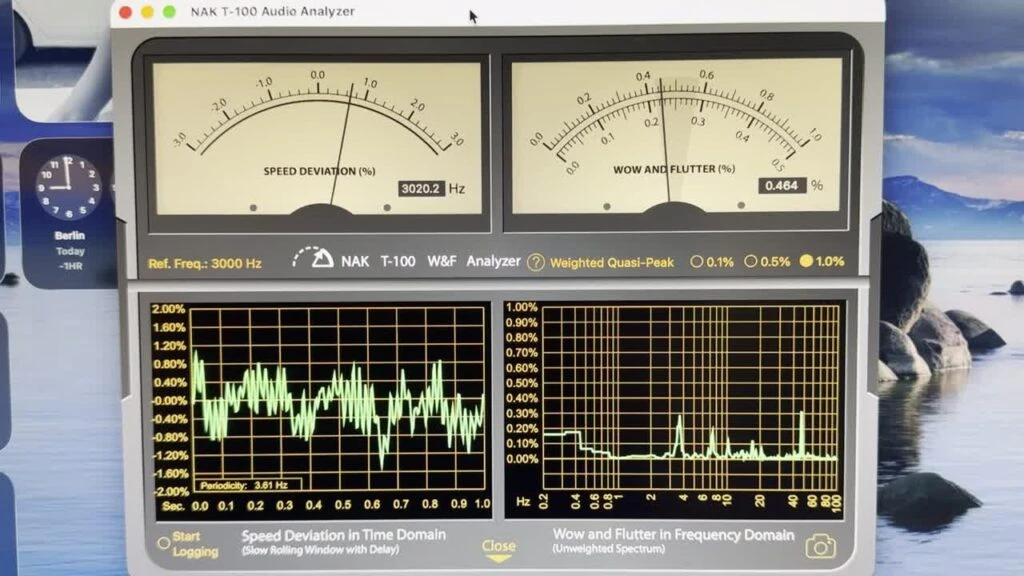
The repair brought speed from 2.3% slow to hovering around 0%, and the unsteady pitch I could hear is much improved. I have no wow and flutter reading from before the repair, so the numbers show where it ended up.

• Speed (3000 Hz reference): 2930 Hz before the speed adjustment, 3018 to 3020 Hz after the repair.
• Speed deviation: about 2.3% slow before (roughly 40 cents flat). After, it wanders around 0%; about 0.6% fast in the final clip (roughly 11 cents sharp).
• Wow and flutter (weighted quasi-peak): not measured before, but clearly unstable by ear. After the repair, 0.46 to 0.61%.

I used the NAK T-100 Audio Analyzer with a 3000 Hz reference tone, set to weighted quasi-peak on the 1% range. The readings move around from second to second, so these are ranges across each clip. I trimmed toward 0% speed deviation, but an analog, mechanical player never holds speed perfectly still, so the reading wanders around it. While I was trimming, wow and flutter ranged from 0.56 to 0.74%.

After the repair the analyzer read 3020.2 Hz, with a wow and flutter reading of 0.464%.

Wow and flutter is the one I heard rather than measured: it was clearly unstable before and is steadier now. If you have an analyzer, take a reading before you start so you get a proper before and after.
2.0 //BACK TOGETHER, AND KEEPING IT HEALTHY

Refit the board and cables, then the panel with the right screws and washers.

Play a real tape and listen for steady pitch and a clear top end.

Most problems on an old Walkman come back to dirt, rubber and dry parts, so a few habits go a long way.

• Clean the tape path often. Wipe the head, capstan and pinch roller with isopropyl alcohol whenever the sound goes dull, and after any dirty or shedding tape.
• Don't play damaged tapes. Squealing or flaking tapes coat the head fast.
• Leave it stopped when stored. Don't leave the pinch roller pressed against the capstan, which can leave flat spots.
• Take the batteries out. Old AA cells leak, and leaked acid ruins the contacts and board.
• Keep it cool, dry and out of sun. Heat and humidity age rubber and grease.
• Play it now and then. A tape or two a month keeps the parts moving and shows problems early.
• Oil sparingly. One drop on the motor bearing is enough, and never on rubber.
• Know the first suspect. If the pitch drops or wobbles again, check the belts first, then re-check the speed.